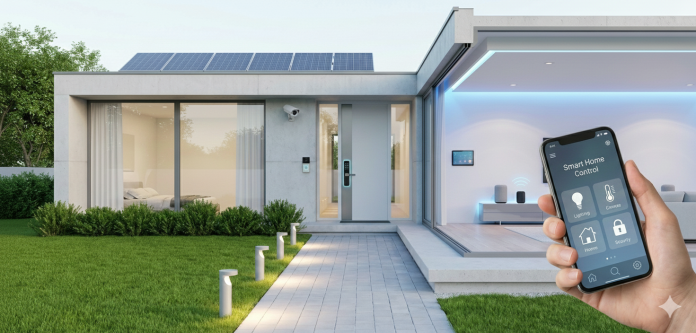


Your smart home is only as good as your network. Wi-Fi is an unsung hero but even a large Melbourne house can simply absorb the Wi-Fi signal when there are thick walls and multiple floors or faraway outdoor areas. This weak signal can lead to cameras buffering, smart lights disconnecting, and automated devices becoming unresponsive.
This is where a home automation specialist in Melbourne can adopt a more systematic approach. They can evaluate the premises and develop a new network that supports the connected devices in the home, instead of merely adding another router.
How Come Larger Homes Suffer from Wi-Fi Dead Zones?
Wi-Fi signals weaken as they propagate. So, can walls, floors, doors, and various building materials.
Home design also plays a role as well. A router in one side of a big house may give a good connection nearby but the bedrooms, garages, or outside areas may have little to no coverage.
Other devices can also lead to congestion, particularly if lots of smart products are linked at once.
Start with a Full Network Assessment
Generally, a specialist would first visit the design of your home as well as current network.
This may include checking:
- Where the router is located
- Signal strength in different rooms
- Areas with frequent connection drops
- Number of connected devices
- Wired network options
- Areas requiring reliable coverage
This can in-turn help validate whether the issue originates from placement, interference, faulty hardware or inadequate network coverage.
Mesh Wi-Fi Can Span Larger Areas
Mesh Wi-Fi consists of multiple access points that work together to deliver a wider range. So, rather than using a single router to blanket the entire house, one can use additional units around the home.
Planned correctly, they can relay a better coverage on more than one floor and hard non-dense areas.
Don’t just put the access points where you think that signal would be weakest. You have to be able to talk amongst one another They should be installed on the basis of the structure and network needs of the home.
Wired Connections Can Really Make a Difference
Not every smart device makes the best choice for Wi-Fi.
Examples include security cameras, entertainment systems, and smart home hubs that need to rely on a fixed ethernet connection for communication.
When smart home installation technicians suggest network cabling to certain key locations, this allows an important device to be wired directly and reduces the load on the wireless network.
Your Smart Home Needs More Than Cohesive Wi-Fi
An automated system of today may link lighting, window coverings, climate control systems, security devices speakers, and older equipment.
More devices depend on a weak wireless connection, and the experience can quickly become frustrating.
A home automation specialist in Melbourne will design the network based on devices which are to be installed. This also helps to ensure that the communication system is a strength rather than a failing, as the actual automation capabilities.
You Should Arrange the Network Before You Set Up Everything
Most people know how to choose Wi-Fi dead zones before buying smart devices.
This may include network planning, access point placement & coverage mapping, structured cabling, and device configuration from a professional smart home installation in Melbourne.
Such an approach makes the system more resilient from the ground up.
A More Reliable Connected Home
Wi-Fi dead zones doesn’t have to put a cap on what an intelligent house can do. Never treat the network as an isolated automation island − that is the main point.
But with all the proper planning-sized lots, high-quality equipment, and a professional hand to reveal it all up, greater Melbourne houses can enjoy reliable cover for living areas, bedrooms, garages, and outdoor spaces.
A robust network provides the connective tissue allowing smart devices to operate seamlessly, reliably, and without as much annoying dropouts.